
Wink Video Enhancer & Editor App | Complete Guide to 4K AI Video Editing
September 21, 2026
95.15 MB
V3.15.5
Android 6.0+
200

Description
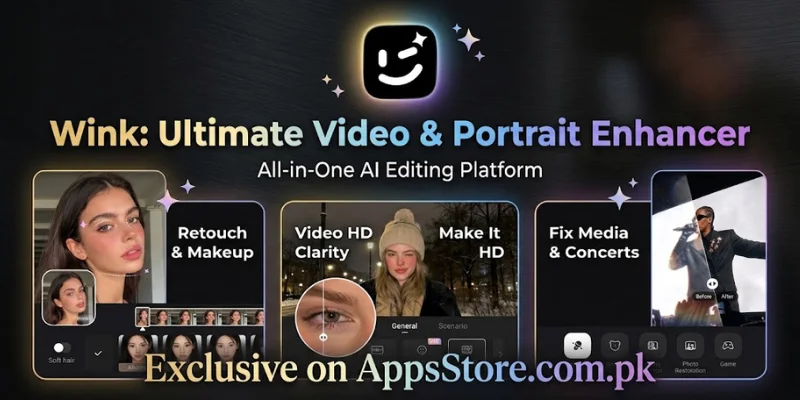
In today’s digital era, social media content creation relies heavily on high-definition visual appeal. Whether you create Instagram Reels, YouTube Shorts, or TikTok trends, having crisp, clear, and professional video quality is mandatory for engagement. This is where the Wink Video Enhancer & Editor App comes into play. Powered by cutting-edge artificial intelligence, Wink allows mobile creators to restore low-resolution footage, apply seamless face retouching, and export stunning videos effortlessly.
In this detailed review and step-by-step guide, we will cover how to use this best AI video enhancer app for Android and iOS, explore its core features, and learn how to fix blurry videos on mobile .
What is Wink Video Enhancer and Editor?
This Video Enhancer and Editor App is an all-in-one AI-driven video retouching and post-production application developed for mobile devices. Unlike traditional video editors that require manual color grading and complex timeline tweaks, This application utilizes an automated video resolution booster to analyze footage frame by frame.
Whether you are dealing with pixelated night clips, out-of-focus camera footage, or low-bitrate downloads, Wink serves as a powerful AI video quality restoration app that can convert ordinary recordings into ultra-clear, high-bitrate media.
Key Highlights of Wink App
Advanced AI Video Repair and Restoration
Automatically analyzes low-resolution, blurry, pixelated, or out-of-focus mobile clips frame-by-frame. The smart AI engine adjusts contrast, sharpens soft edges, and cleans up digital grain, transforming dark or shaky footage into high-clarity video content.
4K Ultra Quality Restoration and Frame Interpolation
Seamlessly upgrades standard 720p or 1080p footage into crisp 4K Ultra HD resolution. Beyond resolution boosting, it utilizes advanced frame rate enhancement algorithms to fill in missing frames, delivering ultra-smooth motion playback without visual stuttering.
AI Portrait Retouching and Digital Makeup
Serves as a complete face retouching video editor for beauty vlogging and social media reels. It allows you to perform natural skin smoothing, remove dark circles, adjust jawlines or facial symmetry, and apply realistic digital makeup filters (lips, lashes, and blush) that automatically track facial movements.
Automatic Video Captioning and Subtitle Generator
Streamlines post-production workflow by instantly generating accurate auto-subtitles directly from spoken dialogue. Driven by smart speech-to-text algorithms, it supports custom fonts, animated text presets, and multi-language alignment to boost audience engagement on TikTok, YouTube Shorts, and Reels.
Pro Audio Cleaners and AI Noise Reduction Tool
Built-in intelligent sound restoration tools isolate speech while eliminating ambient background sounds such as wind, traffic, hums, and static noise. This ensures your video audio remains crisp, clear, and professional without needing external editing software.
Core Features of Wink Video Enhancer App
AI Video Quality Restoration Turn Blurry Videos to Clear
The hallmark feature of the Wink app is its ability to learn how to increase video quality using Wink App algorithms automatically. If you shoot under low-light conditions, experience camera shake, or download compressed files, the app adjusts sharpness, contrast, and color balance dynamically.
Blur Removal: Sharpens soft edges without creating artificial artifacts.
Nighttime Stabilization: Enhances visibility in dark scenes while mitigating digital grain.
Frame Rate Enhancement: Interpolates missing frames for smoother motion playback.
Advanced Face Retouching Video Editor and Portrait AI
For beauty vlogging, lifestyle content, and personal vlogs, Wink acts as a full-fledged face retouching video editor. It offers subtle, highly realistic portrait tools:
Skin Smoothing: Instantly removes blemishes, dark circles, and wrinkles without losing natural skin texture.
Facial & Body Reshaping: Allows precise adjustment of facial proportions, eye size, jawlines, and body structure.
Realistic AI Makeup Filters: Apply digital lipsticks, blushes, and lashes that align seamlessly with facial tracking.
Smart Background Removal and Object Eraser
Editing out distractions is straightforward with Wink’s AI segmentation capabilities:
Background Eraser: Isolate the main subject and swap or blur the background without needing a physical green screen.
Object Remover: Erase unwanted passerby, background clutter, or logos using intelligent AI patch fill.
Professional Editing, Transitions & Speed Control
Beyond repair features, its provides essential post-production functionality:
Smooth Slow-Mo Editing: Create optical-flow style slow-motion effects without stuttering.
Transitions & Overlays: A library of cinematic light leaks, glimmers, dynamic wipes, and text animations.
AI Noise Reduction Tool: Clear vocal audio by suppressing wind, traffic, and background hums.
How to Download Wink App on Android
- Open the Play Store for your Android and App Store for your iOS devices.
- Type “Wink: Video Enhancer and Editor” into the top search bar.
- Select the official application published by Meitu Technology.
- Tap the Install button and wait for the download to complete.
How to Increase Video Quality Using Wink App
If you are wondering how to fix blurry videos on mobile with This app, follow these straightforward steps to achieve professional output:
- Download the App: Search for Wink Video Enhancer and Editor App on the Google Play Store or Apple App Store and install it.
- Import Your Media: Open the app homepage and select “Quality Restoration” or “AI Repair”. Upload the video clip from your gallery.
- Select Processing Mode: Choose your desired output quality (HD, 2K, or 4K Ultra Quality). The AI engine will scan and process the footage frame-by-frame.
- Apply Portrait & Audio Fixes: Navigate to the retouching panel if your video features faces. Apply subtle skin smoothing or use the AI noise reduction tool to clean audio tracks.
- Adjust Frame Rate and Export: Select high bitrate export settings to preserve detail, ensure smooth slow-mo editing if applicable, and tap Save to export your final video.
Comparison: Wink App vs Other Mobile Video Enhancers
| Feature | Wink Video Enhancer | Remini Video | CapCut AI |
| AI Facial Retouching | Advanced & Natural | Basic | Standard |
| 4K Quality Restoration | Highly Effective | Good | Moderate |
| Noise Reduction | Built-in AI Tool | Limited | Built-in |
| Ease of Use | Beginner Friendly | Very Simple | Intermediate |
Conclusion
The Wink Video Enhancer & Editor App has quickly established itself as an essential tool for content creators, vloggers, and social media enthusiasts who demand studio-grade visual quality directly from their mobile devices. By combining a powerful video resolution booster, advanced face retouching, and crisp 4K export capabilities, Wink eliminates the steep learning curve traditionally associated with high-end desktop video editing software.
Whether you need to fix out-of-focus mobile clips, generate automatic video captioning, or clean up background noise with the built-in AI noise reduction tool, Wink offers a complete, hassle-free post-production solution. If you want to elevate your content and deliver crystal-clear, engaging videos to your audience, downloading the Wink Video Enhancer App is one of the best upgrades you can make to your mobile editing workflow.
For more useful mobile tools, check out AR Meter to easily measure 3D spatial dimensions using augmented reality. You can also use PandaVPN for fast, secure connections and to bypass regional app restrictions.
Frequently Asked Questions (FAQs)
1. Is Wink Video Enhancer App free to use?
Yes, this app is free to download and provides access to standard editing tools and basic AI restoration features. However, unlocking high-tier 4K export, advanced portrait tools, and unlimited batch processing requires a VIP subscription.
2. How do I fix a blurry video using the Wink app?
Open the app, tap on Quality Restoration, select your blurry clip, and let the AI process it. Once the automated sharpening and color correction are finished, export the cleaned clip in HD or 4K.
3. Is Wink Video Enhancer available on both Android and iOS?
Yes, the is available for both platforms. You can easily find it as a best AI video enhancer app for Android and iOS on Google Play Store and Apple App Store.
4. Does Wink offer automatic video captioning?
Yes, This APK includes an automatic video captioning feature that transcribes spoken dialogue into editable subtitles directly onto your video timeline.
5. What are the best alternative apps to Wink?
Popular alternatives include Remini (for quick face enhancements), CapCut (for complex multi-track timeline editing), and Topaz Video AI (a desktop-grade solution for maximum resolution upscaling).
Download links
How to install Wink Video Enhancer & Editor App | Complete Guide to 4K AI Video Editing APK?
1. Tap the downloaded Wink Video Enhancer & Editor App | Complete Guide to 4K AI Video Editing APK file.
2. Touch install.
3. Follow the steps on the screen.