
PandaVPN Review 2026 Fast, Secure & No Logs VPN for Android & PC
September 16, 2026
40 MB
V9.7.1
Android 5.0+
1000+

Description

Looking for a reliable way to protect your online identity? PandaVPN is one of the leading solutions for securing your digital privacy and safeguarding personal data in today’s connected world. Every time you browse the web or connect to public Wi-Fi networks, your online habits, IP address, and personal information are exposed to ISPs, ad trackers, and cyber threats. Additionally, regional geo-restrictions frequently block access to your favorite websites, streaming platforms, and online games.
Beyond shielding your connection against online monitoring, a reliable network tool ensures consistent bandwidth speeds without artificial ISP throttling. It allows users to safely navigate public networks, maintain digital anonymity, and access region-locked applications effortlessly.
This guide explores Panda VPN Proxy, a powerful virtual private network designed to protect your identity with bank-grade encryption while delivering high-speed, unrestricted global internet access.
What is PandaVPN?
PandaVPN is a fast, highly secure, and privacy-focused Virtual Private Network (VPN) application designed to protect your online identity and grant unrestricted internet access. Operating with advanced ECC (Elliptic Curve Cryptography) encryption and top security protocols like WireGuard, OpenVPN, and its proprietary Panda VPN Protocol, it creates a safe, encrypted tunnel for all your web traffic.
Whether you want to bypass regional censorship, secure your connection on public Wi-Fi networks, lower ping for online gaming, or stream global content, Panda app serves as an all-in-one digital privacy tool.
Related Tip: If you want to protect your physical screen from accidental drops and damage while gaming or browsing securely with Panda VPN, check out Tilt Guard for optimal device safety.
Key Features of PandaVPN Proxy
Bank-Grade Encryption: Utilizes advanced 256-bit ECC encryption technology to scramble your internet traffic and shield it from ISPs, hackers, and snoopers.
Strict No-Logs Policy: Ensures complete digital anonymity by never recording, storing, or monitoring your browsing history or IP addresses.
Global High-Speed Server Network: Access 3,000+ servers located across 90+ countries for fast connections and smooth browsing.
Smart Split Tunneling: Select specific applications to route through the VPN tunnel while keeping direct local network access for other apps.
Mock GPS Location: Spoof your physical device GPS coordinates to match your selected VPN server location ideal for location-sensitive mobile apps.
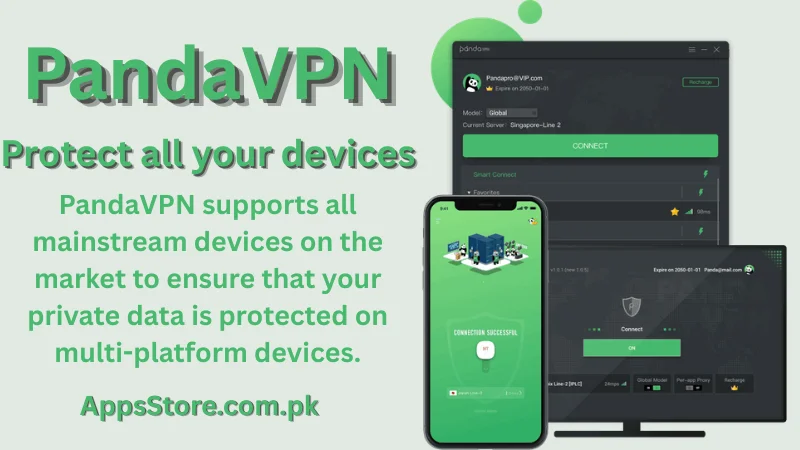
Cross-Platform Compatibility: Supports Android, iOS, Windows, macOS, Linux, and Smart TVs.
How to Install PandaVPN on Android
- Open the Google Play Store on your Android device.
- Search for PandaVPN in the search bar.
- Tap Install to download the official application.
- Launch the app, choose your preferred server location, and tap Connect.
PandaVPN Technical Specifications
- Developer: Wildfire Inc.
- Category: Online Privacy, Security and Utility Tools
- Supported Protocols: OpenVPN, WireGuard, Shadowsocks, and PandaVPN Protocol
- Encryption standard: 256-bit ECC (Elliptic Curve Cryptography)
- Server Infrastructure: 3,000+ high-speed servers across 90+ countries
- Supported Platforms: Android, iOS, Windows, macOS, Linux, and Android TV
- Connection Types: Smart Mode, Global Mode, and Custom Proxy Routing
Pros and Cons of PandaVPN
| Pros | Cons |
| Ultra-Fast Speeds: Optimized servers engineered for low latency and smooth HD streaming. | Limited Free Tier: Free trial servers require watching in-app ads to unlock connection time. |
| User-Friendly Interface: Minimalist design with a simple one-click auto-connect feature. | Device Limits: Simultaneous device connection limits on base subscription plans. |
| Multi-Protocol Support: Includes WireGuard, OpenVPN, and Shadowsocks-based Smart Mode. | Inconsistent Unblocking: Streaming performance can occasionally vary across certain geo-blocked platforms. |
| LAN Proxy and Custom Routing: Allows sharing VPN connections over local Wi-Fi networks with gaming consoles. | Limited Kill Switch: Lacks a dedicated kill switch feature on specific mobile operating systems (iOS). |
Disclaimer
This article is strictly for informational and educational purposes. We are not affiliated with, endorsed by, or officially connected to PandaVPN or its parent companies. All product names, logos, trademarks, and registered trademarks mentioned are the property of their respective owners. Users are solely responsible for ensuring that their use of VPN services complies with local laws, regulations, and the Terms of Service of third-party platforms.
Conclusion
PandaVPN is a solid, feature-rich VPN solution for anyone looking to reclaim their internet freedom, bypass restrictive geo-blocks, and secure sensitive personal data. With its high-speed servers, modern encryption standards, and convenient features like split tunneling and Mock GPS, it delivers a fast and safe online experience across all your personal devices.
In addition to top-tier security, its intuitive one-tap connection interface ensures that both technical and non-technical users can navigate global servers with ease.
Dedicated gaming and streaming routes effectively solve issues related to high ping, severe buffering, and ISP bandwidth throttling during peak usage hours. Furthermore, multi-device support makes it a seamless choice whether you are working on a desktop computer or browsing on a smartphone. By combining reliable cross-platform functionality with a transparent no-logs privacy policy, it stands out as a dependable daily defense tool. Ultimately, downloading Panda Fast VPN Proxy provides a stress-free gateway to unrestricted global content alongside complete peace of mind.
Frequently Asked Questions (FAQs)
Q1: Is PandaVPN completely free to use?
Panda VPN provides a free tier with ad-supported VIP servers on mobile platforms. For ad-free browsing, faster servers, and full desktop functionality, premium plans are available.
Q2: Does PandaVPN keep logs of user activity?
No. Panda Secure VPN adheres to a strict zero-logs policy, meaning your personal IP address, online activity, and bandwidth data are never logged or stored.
Q3: Can Panda-VPN improve mobile gaming performance?
Yes. Panda Fast Secure VPN features dedicated gaming routes designed to reduce ping, minimize packet loss, and lower latency for games like PUBG Mobile, Free Fire, and Call of Duty.
Download links
How to install PandaVPN Review 2026 Fast, Secure & No Logs VPN for Android & PC APK?
1. Tap the downloaded PandaVPN Review 2026 Fast, Secure & No Logs VPN for Android & PC APK file.
2. Touch install.
3. Follow the steps on the screen.