Download Bilibili TV App Create an Account, and Earn Money as a Creator In 2026
20MB
V2.2.1
Android 6+
1000
Description
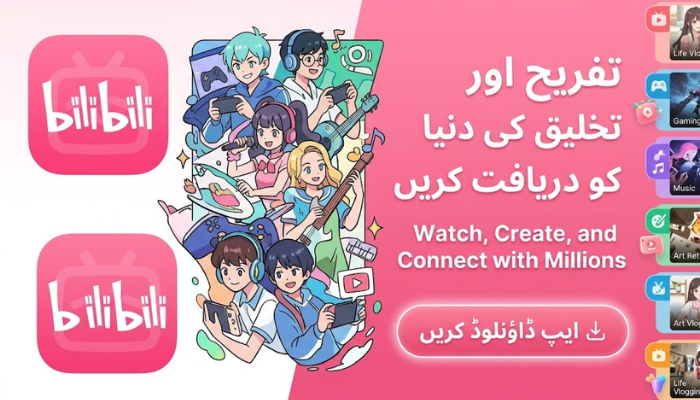
In the modern digital entertainment ecosystem, video streaming platforms have transformed how global audiences consume anime, Asian television series, and user-generated content. Among these platforms, Bilibili TV stands out as a leading international hub for pop culture, animation, and community-driven media. Originally established as a niche sanctuary for anime enthusiasts, it has expanded into an expansive streaming service tailored for Smart TVs, mobile devices, and desktop environments.
This comprehensive guide covers everything you need to know about Bilibili TV from core features and installation steps to account registration, an in-depth analysis of pros and cons, and monetization options for content creators.
What is Bilibili TV?
Bilibili TV is the big-screen and multi-device optimized version derived from Bilibili, a major video-sharing network. Designed specifically for Android Smart TVs, streaming boxes, smartphones, and desktop displays, Bilibili TV delivers high-definition Japanese anime, Chinese animation (Donghua), Asian drama series, and community video content.
The platform operates on a hybrid media model combining two main content ecosystems:
Professional User-Generated Video (PUGV): Content produced by independent animators, vloggers, video essayists, tech reviewers, and gaming commentators.
Occupationally Generated Video (OGV): Officially licensed anime titles, films, documentaries, and drama series acquired directly from international production studios.
Core Features of Bilibili TV
Bilibili TV offers specialized features designed to balance visual clarity, content diversity, and active community participation.
| Feature Area | Core Capabilities | Primary User Benefit |
| High-Definition Streaming | Supports 720p, 1080p Full HD, 60fps high-frame-rate, and 4K playback. | Delivers crisp image fidelity on mobile displays and large Smart TVs. |
| Multilingual Subtitles | Official and user-submitted subtitles in English, Spanish, Thai, Indonesian, and Vietnamese. | Eliminates language barriers for global Asian drama and anime audiences. |
| Danmaku (Bullet Comments) | Real-time text comments scrolling horizontally across the active video stream. | Transforms solo viewing into an interactive, theater-like group experience. |
| Adaptive Bitrate Engine | Real-time dynamic stream adjustment based on active network stability. | Minimizes buffering pauses and frame drops on slower internet connections. |
| Cross-Device Sync | Real-time account history and watch progress synchronized across all devices. | Allows users to pause on a Smart TV and resume from the same frame on mobile. |
How to Download Bilibili TV App on Any Device
Android Smartphones and Tablets: Mobile Devices.
- Open the AppsStore.com.pk on your Android smartphone or tablet.
- Type “Bilibili” or “Bilibili TV” into the top search bar.
- Select the official app published by Bilibili and tap Install to download.
Android Smart TVs and Streaming TV Boxes: Big Screen Setup.
- Turn on your Smart TV or Android TV box and launch the Google Play Store or native TV App Store.
- Search for “Bilibili TV”.
- Select Install. Once downloaded, open the application directly from your TV apps menu.
iOS Devices (iPhone and iPad): Apple Ecosystem.
- Launch the Apple App Store on your iPhone or iPad.
- Enter “Bilibili” into the search prompt.
- Tap Get to authorize and download the app to your Apple device.
Windows PC and Apple Mac: Desktop Setup.
- Web Browser Access: Visit the official website directly via Chrome, Edge, or Safari without installing third-party software.
- Windows Store: Download the official Bilibili client directly through the Microsoft Store app.
- Android Emulators: Install an emulator like MEmu or BlueStacks, launch the embedded Play Store, and install Bilibili TV.
Account Registration, Login, and Setup
Registering an account unlocks high-definition playback options, personal watchlists, bullet comment submission, and content creation tools.
1.Launch Application or Web Portal:
Open the Bilibili TV application on your TV/mobile device or open the web portal in your desktop browser.
2.Access Account Login Portal:
Click on the Log In / Sign Up button located at the top-right corner of the home interface.
3.Select Country Code & Enter Phone Number:
Click the country code drop-down menu and select your international prefix (e.g., +1 for USA, +92 for Pakistan, +91 for India, +44 for UK). Enter your active mobile phone number.
4.Verify SMS Code:
Tap Send Code. Retrieve the 6-digit verification code sent to your phone via SMS, enter it into the text field, and tap Register/Login.
5.Profile Customization:
Access your Personal Center / Bilibili Studio. Set your public handle, upload a profile photo (PNG/JPG format), add a short channel bio, and configure security preferences.
Detailed Pros and Cons of Bilibili TV App
Evaluating the advantages and drawbacks helps users determine if Bilibili TV fits their entertainment needs.
Advantages (Pros)
- Vast Anime and Donghua Selection: Features an extensive library of licensed Japanese anime alongside premier Chinese Donghua series.
- Interactive Community Experience: The Danmaku (bullet chat) system allows viewers to share reactions, trivia, and commentary in real time across screen frames.
- Robust Free Viewing Options: Unlike many major streaming services, Bilibili TV allows users to watch thousands of episodes and community uploads free of charge.
- Multilingual Subtitle Support: Localized subtitles in English, Spanish, Thai, and other languages make Asian drama and animation widely accessible.
- Creator Ecosystem: Operates an open platform where independent animators and creators can publish original work and build dedicated fanbases.
- Cross-Platform Compatibility: Runs smoothly across Smart TVs, mobile devices, desktop clients, and web browsers with synchronized viewing history.
Disadvantages (Cons)
- Regional Licensing Restrictions: Due to global broadcasting rights, specific anime titles or latest simulcasts may be geo-blocked in certain countries.
- Inconsistent User Content Quality: Because anyone can upload PUGV videos, video quality, editing, and audio levels vary across creator channels.
- VIP Subscription Requirement for Top Tier Features: Unlocking 1080p 60fps, 4K resolutions, advanced audio formats, and immediate simulcasts requires a paid VIP membership.
- Ad-Supported Free Model: Free-tier users encounter video ads and promotional banners during app navigation.
- Incomplete Catalog Compared to Niche Rivals: While its catalog is large, some western licensed anime titles remain exclusive to other dedicated regional platforms.
Can You Earn Money from Bilibili TV? (Creator Monetization Guide)
Yes, creators can monetize content on Bilibili. Bilibili operates a structured creator ecosystem called Bilibili Studio, offering tools for creators to publish videos, track analytics, and generate revenue.
Eligibility Requirements for Creator Monetization
To qualify for revenue payouts, creators must meet minimum eligibility thresholds:
- Audience Milestone: Accumulate 1,000 channel followers OR achieve 100,000 aggregate video views across all uploads.
- Account Identity Verification: Complete mandatory real-name ID verification within Bilibili Studio.
- Original Content Standard: Revenue programs apply strictly to original, non-copyright-infringing, policy-compliant uploads.
Main Revenue Streams
- Creator Incentive Program: The platform calculates direct payouts based on overall video performance factoring in watch time, view counts, like ratios, shares, and Danmaku engagement.
- Fan Tipping (“Batteries”): Viewers can purchase virtual currency (“Batteries”) and send tips directly to creators during standard video playback or live broadcasts.
- Live Streaming Payouts: Creators streaming gameplay, digital illustration, or host chats can receive virtual gifts that convert directly into withdrawable cash balance.
- Brand Sponsorships and Collaborations: Popular channels in gaming, tech reviews, cosplay, and animation partner with brands for sponsored integration.
- Affiliate E-Commerce Links: Creators insert affiliate product links inside video description panels and earn commissions on sales generated from viewers.
Free Tier vs. Premium VIP Membership
Bilibili TV maintains a transparent distinction between its standard free access tier and paid VIP subscriptions.
| Metric / Capability | Free Access Tier | Premium VIP Tier |
| Video Resolution | Up to 720p / Standard 1080p | 1080p Full HD (60fps) and 4K Ultra HD |
| New Episode Timing | Delayed access for newest series releases | Immediate access to weekly simulcasts |
| Audio Configuration | Standard Stereo Audio | High-Bitrate Audio and Surround Sound |
| Ad Experience | Includes video ads and promotional banners | Ad-free roll playback on supported streams |
| Catalog Scope | Public access library and user videos | Full library including VIP-exclusive films |
Summary
Bilibili TV has evolved into a comprehensive global streaming ecosystem for animation, Asian dramas, and community video sharing. With cross-platform availability, simple phone-based registration, an engaging Danmaku viewing environment, clear pros and cons, and earning opportunities for creators, Bilibili TV offers a complete entertainment platform for viewers and content producers alike.
Frequently Asked Questions (FAQs)
Is Bilibili TV safe and legal to use?
Yes, Bilibili TV is a safe and legal streaming platform. All officially licensed anime and television series hosted on the app are distributed under legal licensing agreements.
Can international users register an account?
Yes, international users outside China can register using their local phone numbers, verify via SMS, and customize their personal profile.
Can onscreen floating comments (Danmaku) be turned off?
Yes, bullet comments can be customized (adjusting transparency, size, and speed) or turned off completely in the video player controls.
Is a VPN required to use Bilibili TV?
A VPN is not required for basic access. However, if specific anime titles are restricted in your region due to local licensing rights, a VPN can help unlock region-locked content.
Download links
How to install Download Bilibili TV App Create an Account, and Earn Money as a Creator In 2026 APK?
1. Tap the downloaded Download Bilibili TV App Create an Account, and Earn Money as a Creator In 2026 APK file.
2. Touch install.
3. Follow the steps on the screen.